
Key takeaways
- Full campaign co-op, including all four campaign add-ons — Moxxi’s Heist of the Handsome Jackpot, Guns Love and Tentacles, Bounty of Blood, and Psycho Krieg and the Fantastic Fustercluck.
- Endgame content: the Maliwan and Guardian Takedowns, Proving Grounds, Circles of Slaughter, Arms Race runs, and Mayhem levels 1 through 11.
- Level and loot systems: the level cap of 72, Guardian Rank progression and every piece of instanced loot work normally across platforms.
- Up to four players online in a single session; two-player split-screen remains a separate local mode.
Yes — Borderlands 3 supports crossplay, so a PS5 owner, an Xbox Series X owner and a Steam player can all sit in the same four-player campaign lobby. Two limits matter before you plan a session: the Nintendo Switch version is excluded from crossplay entirely, and Borderlands 3 has no cross-save, so a character stays locked to the platform where it was created. Everyone in the party also needs a linked SHiFT account and the crossplay toggle switched on before an invite will connect.
The short version: which platforms can play together
Crossplay is the ability for players on different hardware to join one online session — in Borderlands 3 it covers the PlayStation, Xbox and PC families and applies to every online co-op activity, but not to save data and not to local split-screen. Crossplay arrived in a June 2021 update for Xbox, PC and Stadia players, with PlayStation support added in a 2022 update; any older guide that says PlayStation is locked out is out of date.
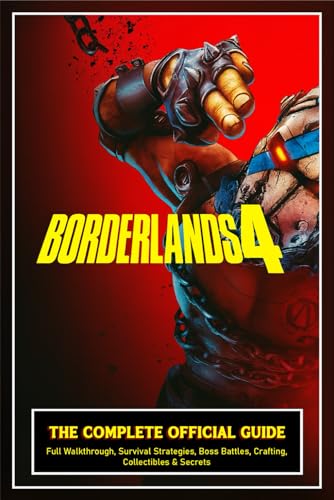
Borderlands 4: THE COMPLETE OFFICIAL GUIDE: Full Walkthrough, Survival Strategies, Boss Battles, Crafting, Collectibles & Secrets & 100% Completion Tip
Chosen because it specifies Survival Strategies and Boss Battles.
Check Price on Amazon| Platform | Crossplay | Can join a lobby with | Online subscription needed | What to know |
|---|---|---|---|---|
| PS4 / PS5 | Yes | PS4, PS5, Xbox One, Xbox Series X|S, Steam, Epic | PlayStation Plus | PS4 and PS5 share one pool; online lobbies cap at 4 players |
| Xbox One / Xbox Series X|S | Yes | All of the above | Game Pass Core (or higher tier) | Xbox One and Series consoles share one pool |
| PC — Steam | Yes | All of the above | None | No subscription; heavy modding is the most common cause of failed joins |
| PC — Epic Games Store | Yes | All of the above | None | Steam and Epic sit in the same PC pool, so storefront choice doesn’t block anyone |
| Nintendo Switch | No | Switch players only | Nintendo Switch Online | Per Gearbox’s crossplay FAQ, the Switch release is not part of the crossplay pool |
| Google Stadia | Not applicable | — | — | Stadia shut down on 18 January 2023; ignore any guide that still lists it |
Which modes crossplay actually covers
Crossplay is a session-level feature, not a mode-specific one, so once you’re in a shared lobby everything online is playable together:
- Full campaign co-op, including all four campaign add-ons — Moxxi’s Heist of the Handsome Jackpot, Guns Love and Tentacles, Bounty of Blood, and Psycho Krieg and the Fantastic Fustercluck.
- Endgame content: the Maliwan and Guardian Takedowns, Proving Grounds, Circles of Slaughter, Arms Race runs, and Mayhem levels 1 through 11.
- Level and loot systems: the level cap of 72, Guardian Rank progression and every piece of instanced loot work normally across platforms.
- Up to four players online in a single session; two-player split-screen remains a separate local mode.
What crossplay does not cover is the part that trips people up: there is no cross-progression. SHiFT links your identity across systems, not your save files, so a level 72 Moze on your PS5 does not appear when you install the game on an Xbox. You’d be starting a fresh Vault Hunter. Local split-screen is also untouched by crossplay — it’s the same couch mode it always was.
Setting up crossplay: the order matters
Most “my friend can’t join” tickets come down to doing these out of sequence. Work through them in this order and the lobby will behave.
- Step 1 — Patch both installs to the same version. Crossplay matches game versions, so a console that’s a patch behind (or a modded PC client) simply won’t appear in the join list. This is also the practical reason the Switch release sits outside the pool.
- Step 2 — Create or sign into a SHiFT account on each system and link it to the platform account. SHiFT is the only identity layer that spans PlayStation, Xbox and PC. Without it, an Xbox friend list cannot see a Steam player at all, no matter what else you configure.
- Step 3 — Add each other as SHiFT friends, spelled exactly as the display name appears. Console friend lists are walled gardens; the SHiFT list is the one both sides can see.
- Step 4 — Turn crossplay on in Options > Network on every system in the party. Some builds also show a separate crossplay matchmaking toggle next to it. If either player has crossplay off, the session stays invisible even between confirmed friends — this is the single most common cause of failure.
- Step 5 — Set the lobby privacy and let the host create the session. The host’s settings govern the lobby, and an “Invite Only” lobby can behave differently for cross-platform friends than for platform friends. Friends Only or Open is the safer choice until the first join succeeds.
- Step 6 — Agree on loot mode and level scaling before you launch. Cooperation gives each player instanced loot and scales enemies to each player’s own level; Coopetition shares one loot pool and scales enemies to the host. Pairing a level 72 host with a level 20 friend in Coopetition means the lower-level player does negligible damage and gets drops they can’t use.
- Step 7 — Invite from the Social menu, SHiFT tab. Cross-platform friends only appear under the SHiFT tab, not the platform friends tab, so that’s where the invite or Join Game option lives.
A worked example
You’re hosting on PS5 at level 72, Mayhem 11, with Guardian Rank around 150. Your friend is on Steam at level 30. You both link SHiFT accounts, both switch crossplay on in Options > Network, and you set the lobby to Cooperation with level scaling on. She joins from the SHiFT tab, and because loot is instanced and enemies scale per player, she gets level-30 gear from the Maliwan Takedown while you get level-72 drops from the same run — the two of you can play the same endgame content without either side being carried or gated out.
Decision matrix: what to do in your situation
| Your situation | What to do | Setup time |
|---|---|---|
| You and your friend are both on PlayStation (or both on Xbox) | Skip crossplay entirely — invite through the normal platform friend list | Under a minute |
| PS5 host, Xbox friend | SHiFT accounts linked on both, crossplay on for both, invite from the SHiFT tab | 5–10 minutes, one time |
| Steam player and Epic player | Same SHiFT setup; keep crossplay enabled since both storefronts sit in the shared PC pool | 5–10 minutes, one time |
| Your friend only owns the Switch version | Not possible — the Switch release is outside the crossplay pool, so someone has to play on a supported platform | No workaround |
| You want to move a level 72 character to a new console | Not possible — Borderlands 3 has no cross-save; you’d start a new Vault Hunter | No workaround |
| You play on PC with mods installed | Expect join failures and desyncs; test with mods disabled before blaming the network | Minutes to test |
Ownership realities: what breaks first
Crossplay itself is free — there’s no crossplay pass or DLC gate. What you pay for is console online access: PlayStation Plus on Sony hardware and Game Pass Core (or a higher tier) on Xbox, while PC players need no subscription at all. If a cross-platform friend suddenly can’t join, the usual order of suspects is: expired console subscription, then crossplay toggled off after an update, then a game-version mismatch, then the host’s network. A restrictive NAT type on the host’s router will drop cross-platform joins even when everything in-game looks correct, which is why the same lobby often works fine when someone else hosts.
Two more ownership details worth knowing before you commit to a platform. First, crossplay and cross-progression are different features, and Borderlands 3 has only the first — if migrating your saves matters more to you than playing with friends, this game won’t do it. Second, patch parity isn’t guaranteed forever on older hardware, and the Switch release is the standing proof that a platform can be permanently left out of the pool.
Frequently Asked Questions
Is Borderlands 3 crossplay free?
Yes. Crossplay is a built-in feature delivered through free updates and requires no purchase. The only cost is the online subscription your platform demands for multiplayer — PlayStation Plus on PS4 and PS5, and Game Pass Core or higher on Xbox. PC players pay nothing beyond the game itself.
Can PS5 players play Borderlands 3 with Xbox players?
Yes. Since the 2022 update that brought PlayStation into the crossplay pool, PS4 and PS5 players can join Xbox One, Xbox Series X|S, Steam and Epic Games Store lobbies in the same session, up to four players total. Both sides need crossplay enabled and a linked SHiFT account before the invite will work.
Does Borderlands 3 have cross-save or cross-progression?
No. Borderlands 3 supports crossplay only, so your characters, Guardian Rank and loot stay tied to the platform account that created them. A SHiFT account links your identity across systems for friends lists and invites, but it does not move save data, and there is no official transfer service.
Why can’t my friend join my crossplay lobby?
Check four things in order: crossplay is enabled in Options > Network on both systems, both SHiFT accounts are linked and added to each other’s SHiFT friend list, both games are on the same patch version, and the lobby privacy isn’t set to Invite Only. If all four check out, the host’s NAT type is the next most likely culprit — try having the other player host.
Does crossplay work on the Nintendo Switch version?
No. Per Gearbox’s crossplay FAQ, the Switch release is not part of the crossplay pool, so Switch players can only play online with other Switch players. If playing with friends on PlayStation, Xbox or PC is a priority, that has to happen on one of those platforms.
Can I turn crossplay off?
Yes — the toggle lives in Options > Network, and some builds show a separate crossplay matchmaking option beside it. Switching it off limits you to players on your own platform, which can reduce latency and odd join errors. You can flip it back on at any time without restarting your campaign.







Write Your Review
No reviews yet. Be the first to share your experience!