
Key takeaways
- Best for Alexa households: Amazon Echo Hub. Its touchscreen and Alexa app make it easy to see and control compatible devices.
- Best for Apple households: Apple HomePod mini. It works as an Apple Home hub and supports Matter and Thread.
- Best compact multipurpose pick: Samsung SmartThings Station. It supports Matter and can also serve as a wireless charging pad.
- Best if you already own a suitable smart speaker: Use its built-in hub functions first. Many homes do not need to buy a separate hub.
For most beginners, the Amazon Echo Hub is the easiest smart home hub to start with; choose an Apple HomePod mini if you use an iPhone, or a Samsung SmartThings Station if you want a compact Matter-capable hub with wireless charging. Before buying, check that the hub supports your devices’ connection types: Matter over Wi-Fi does not automatically mean support for Thread or Zigbee.
Best smart home hubs for beginners: quick picks
- Best for Alexa households: Amazon Echo Hub. Its touchscreen and Alexa app make it easy to see and control compatible devices.
- Best for Apple households: Apple HomePod mini. It works as an Apple Home hub and supports Matter and Thread.
- Best compact multipurpose pick: Samsung SmartThings Station. It supports Matter and can also serve as a wireless charging pad.
- Best if you already own a suitable smart speaker: Use its built-in hub functions first. Many homes do not need to buy a separate hub.
Setup estimates below are practical planning ranges, not manufacturer guarantees. Your Wi-Fi quality, account setup, and device type can make the process longer.

Smart Home Hub Manual for Beginners: Step-by-Step Instructions for Connecting Devices, Creating Rooms, Building Routines, Managing Users, and Solving Connection Problems
Included for 'Best Smart Home Hubs for Beginners: Easy Setup Guide' because the listing specifies Creating Rooms and Building Routines, details this guide uses to compare options.
View on Amazon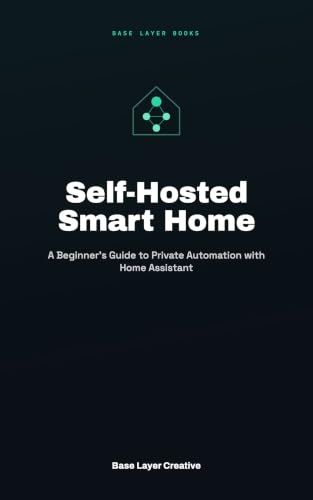
Self-Hosted Smart Home: A Beginner's Guide to Private Automation with Home Assistant
Included for 'Best Smart Home Hubs for Beginners: Easy Setup Guide' as a relevant option in this category; details come from the product listing.
View on AmazonCompare the main options
| Hub | Voice or app ecosystem | Key connectivity | Typical setup time | Best fit |
|---|---|---|---|---|
| Amazon Echo Hub | Alexa; Alexa app | Wi-Fi, Bluetooth, Zigbee, Matter, Thread | About 15–30 minutes | Alexa users who want a dedicated control screen |
| Apple HomePod mini | Apple Home; Siri | Wi-Fi, Bluetooth, Thread, Matter | About 10–20 minutes | iPhone users who want a small speaker and home hub |
| Samsung SmartThings Station | SmartThings app; works with supported voice assistants | Wi-Fi, Bluetooth, Zigbee, Matter | About 15–30 minutes | SmartThings users who want a compact hub and charger |
| Google Nest Hub (2nd gen) | Google Home; Google Assistant | Wi-Fi, Bluetooth, Thread, Matter | About 10–20 minutes | Google Home users who prefer a screen for controls |
Connection support can vary by device generation, region, and software. Confirm the exact model’s current specifications and the device’s compatibility label before purchasing; a Matter logo alone does not guarantee every feature will work in every app.
Choose by your home and experience
| Your situation | Good starting choice | Why |
|---|---|---|
| You already use Alexa and want simple room-by-room controls | Echo Hub | The screen provides a visible dashboard without requiring phone-only control. |
| You use an iPhone and mostly buy Apple Home-compatible accessories | HomePod mini | Setup and everyday control stay within Apple Home and Siri. |
| You want to start small, with one or two Matter devices | A compatible hub or speaker you already own | Check for built-in Matter support before spending on another device. |
| You have older Zigbee sensors or switches | Echo Hub or SmartThings Station, after checking device compatibility | Both include Zigbee support, which can avoid replacing compatible older devices. |
| You want one app to manage devices from several brands | Choose by your preferred ecosystem, then verify each device | Matter improves cross-brand compatibility, but app features and automation options still differ. |
What matters more than the spec sheet
Matter is helpful, but it is not a universal guarantee
Matter is a standard intended to help compatible smart home devices work across ecosystems. Some Matter devices connect through Wi-Fi; others use Thread, a low-power mesh network. A Thread device needs a compatible Thread border router in the home. If you buy a hub without that function, the device may not join as expected even if both products support Matter.
Also check which controls are available in your chosen app. Basic on/off operation may work while a device’s advanced settings, energy reports, or manufacturer-specific features remain in its own app.
Prefer the app you will actually use
Alexa, Apple Home, Google Home, and SmartThings each organize devices and automations differently. If your household already uses one assistant, staying in that ecosystem usually makes the first setup easier. Mixing ecosystems is possible, but may mean managing permissions or settings in more than one app.
Do not buy a hub just because a device says “smart”
Many Wi-Fi plugs and bulbs connect directly to a router and their manufacturer’s app. Others need a hub for Zigbee or Thread. Check the device packaging or specifications for its connection method, and check the hub’s supported protocols. This avoids paying for a hub that adds no useful compatibility.
Beginner setup: a reliable order of operations
- List the devices you want to control. Note each brand, model, connection type, and whether it requires a separate bridge. This catches incompatibilities before unboxing.
- Update your phone and connect it to your home Wi-Fi. Keep the hub near the router for initial setup; a weak signal can make pairing appear to fail.
- Install the hub’s official app and sign in. Add the hub first, following its on-screen instructions. Give it a few minutes to update before pairing accessories.
- Add one device at a time. Use the app’s add-device flow and scan the Matter QR code or enter its setup code when prompted. Keep the code somewhere safe in case you need to reset or move the device.
- Name devices by room and function. “Hallway lamp” is easier to use in voice commands than a product’s default model name. Assigning a room also helps when creating household routines.
- Test basic control before building automations. Turn a light or plug on and off, then try voice control if you use it. Add schedules or routines only after the device responds consistently.
If pairing fails, first confirm the device is in pairing mode and that your phone is on the same home network. For Thread devices, check that a Thread border router is active. Avoid factory-resetting every device immediately; removing it from the app and adding it again may be enough, and a reset can erase its setup information.
Ownership costs and common frustrations
Entry-level smart speakers and compact hubs are generally in the lower-to-mid hundreds of dollars or less, while a dedicated touchscreen hub typically costs more; prices vary by sales, region, and generation. Budget separately for accessories, since a hub does not usually include the bulbs, sensors, or switches you plan to control.
Smart home hubs have few routine consumables, but they do depend on software updates, a working internet connection for some features, and reliable power. A router change can require reconnecting devices. Keep the hub’s account credentials and setup codes accessible, and avoid placing it in a closed cabinet where wireless signals may be weakened.
Bottom line
For an uncomplicated first setup, buy for the ecosystem already used in your home: Echo Hub for Alexa, HomePod mini for Apple Home, or Nest Hub for Google Home. Consider SmartThings Station if you want its compact form and charging feature. Before choosing, verify support for the specific device protocols you need—especially Zigbee and Thread—and start with a small group of devices before expanding.




Write Your Review
No reviews yet. Be the first to share your experience!